📱 Instagram Unfollow Analyzer

Discover who's not following you back with style and insights

📁
Drop your Instagram data ZIP file here
or click to browse and select your file

Processing your Instagram data...

📊 Your Instagram Analysis

Here's what we found in your Instagram data

🔒

Your Privacy is Our Priority

Your Instagram data is processed locally in your browser. Nothing is uploaded to our servers. Your information stays completely private and secure.

🎥 Watch How It's Done

Quick video guide to get your Instagram data

▶️
Step-by-Step Video Tutorial
Coming Soon - Watch how to download your Instagram data in under 2 minutes

📋 How to Get Your Instagram Data

Follow these simple steps to download your Instagram data and analyze your followers

1
Open Instagram Settings
Go to your Instagram profile, tap the menu (three lines), then go to Settings and Activity
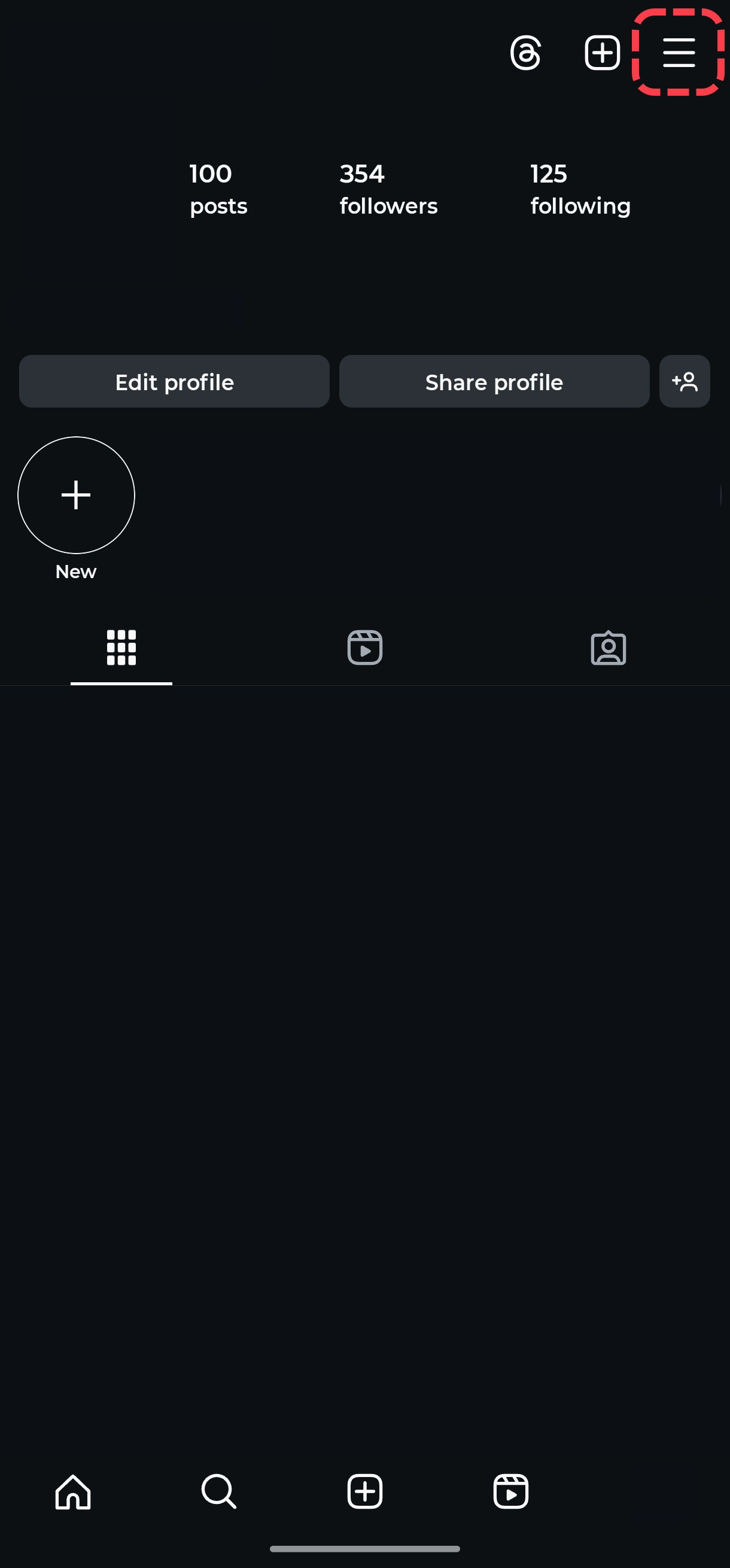
Instagram Settings Menu
2
Navigate to Data Download
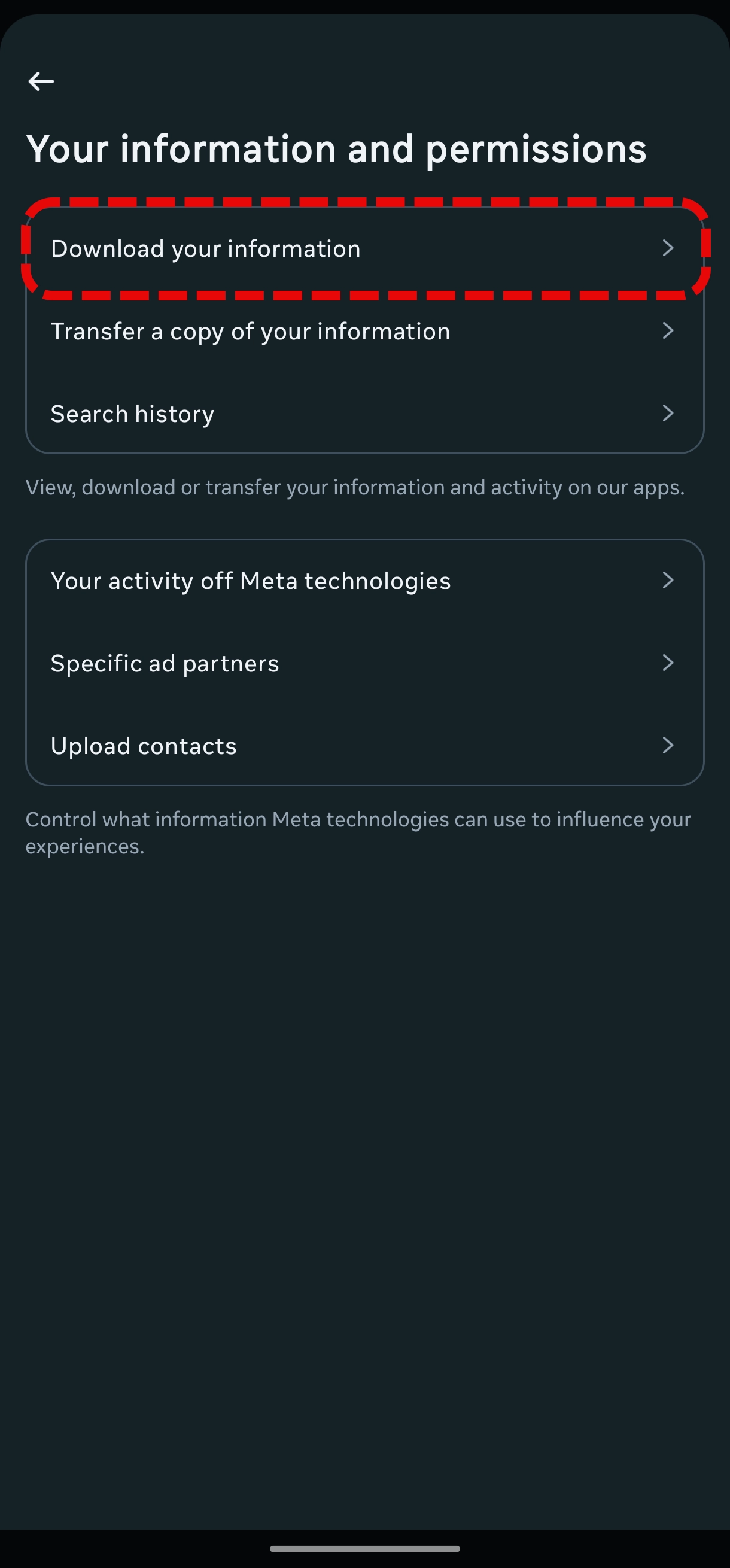
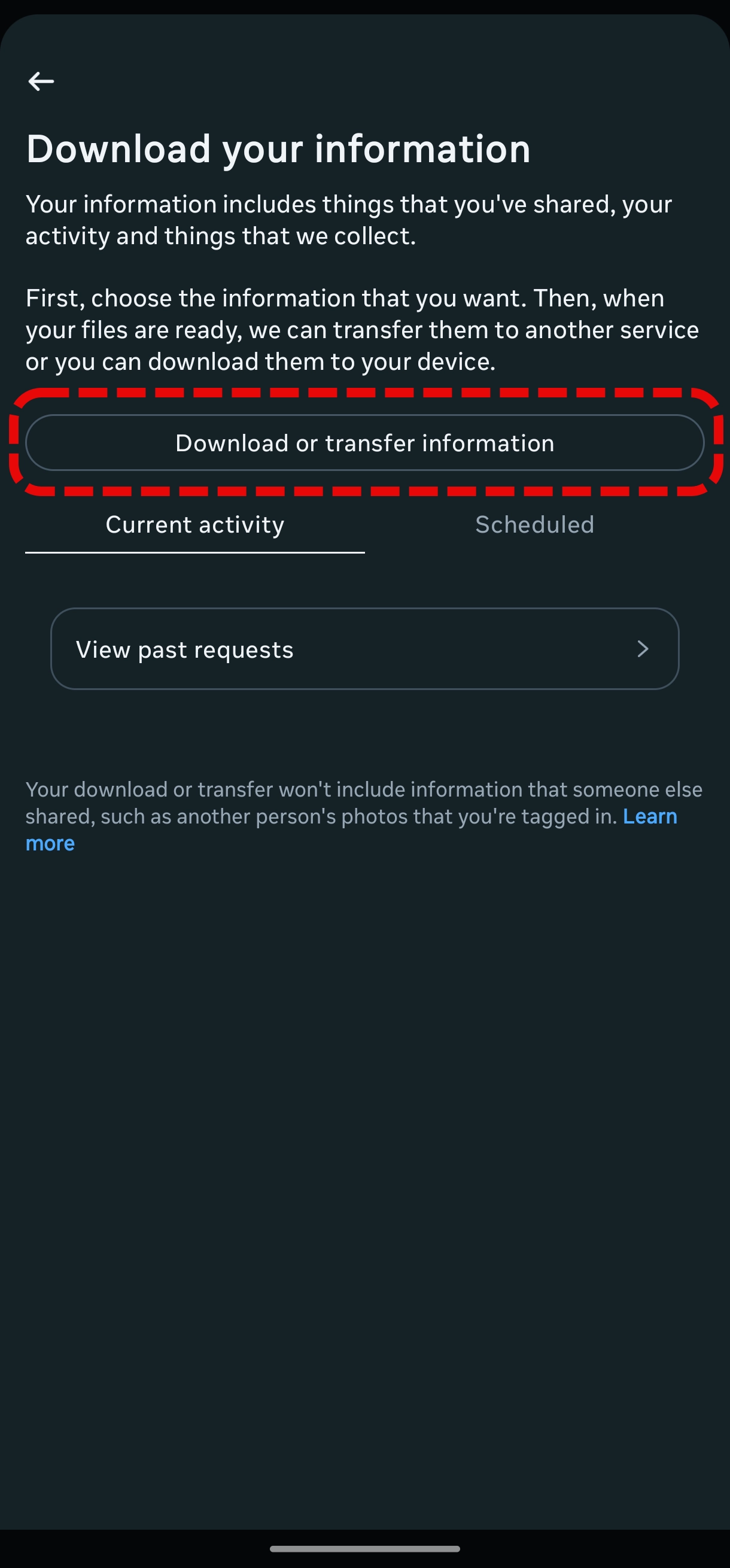
Tap on "Accounts Center" → "Your information and permissions" → "Download your information" → "Download or transfer information"
Instagram Accounts Center Instagram Your Information Instagram Download Information Instagram Download Information Button
3
Select Instagram Account
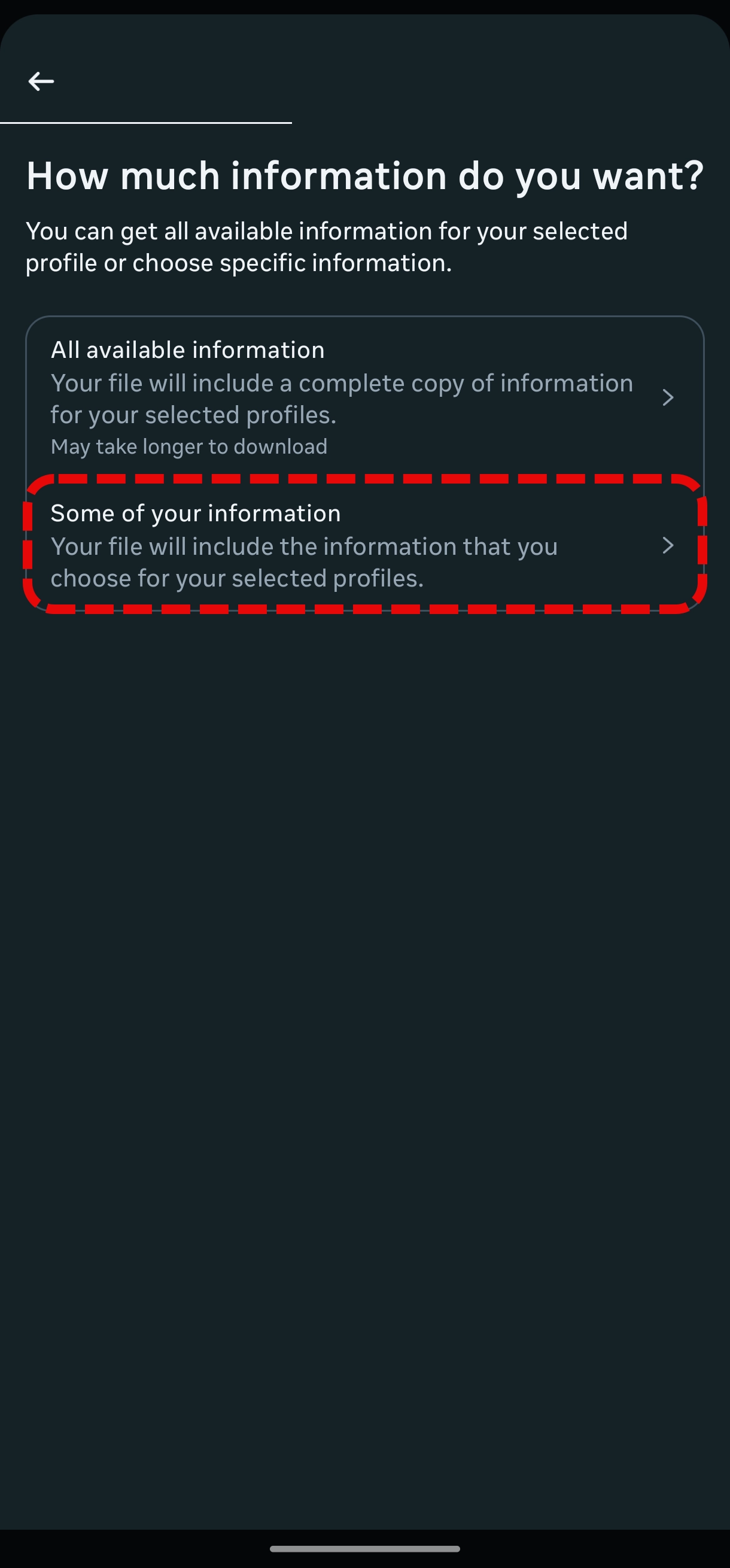
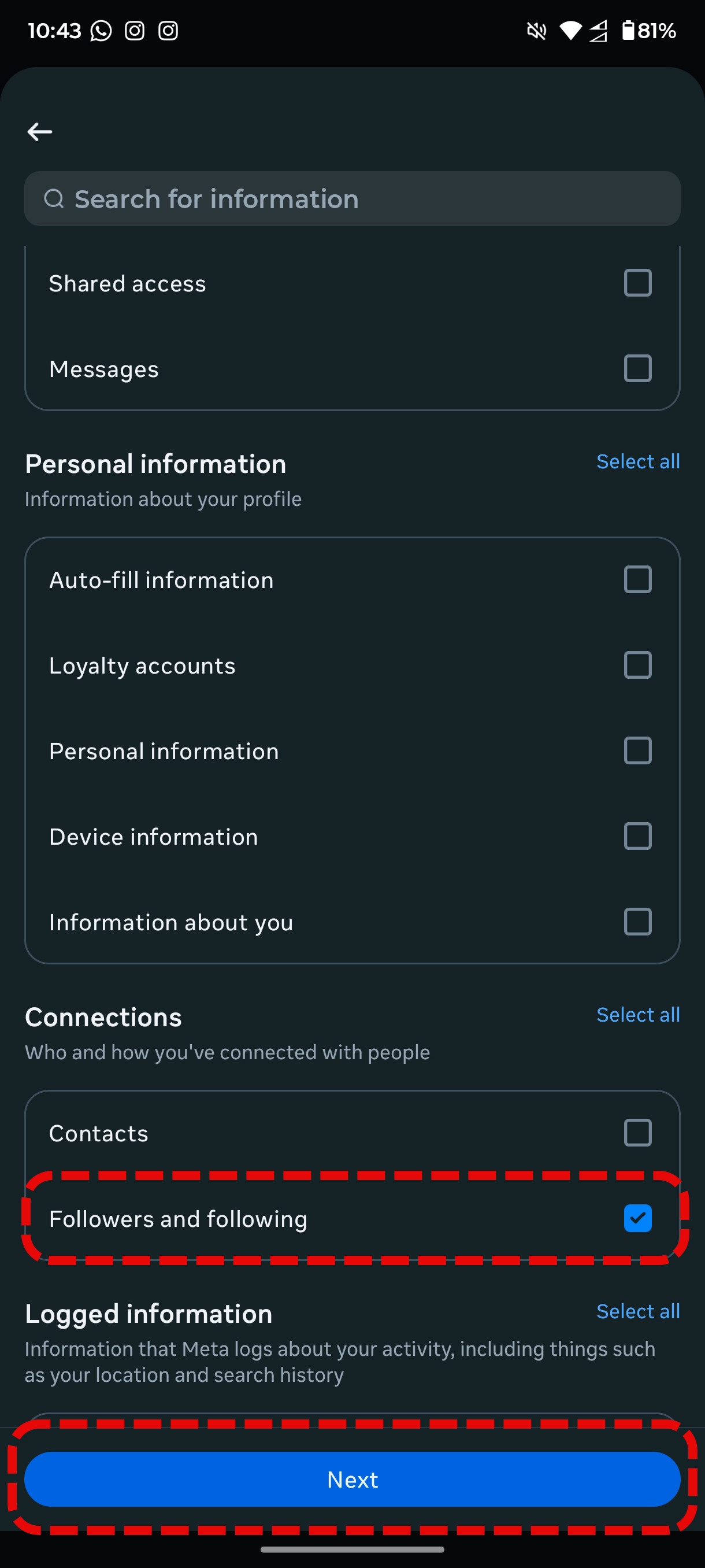
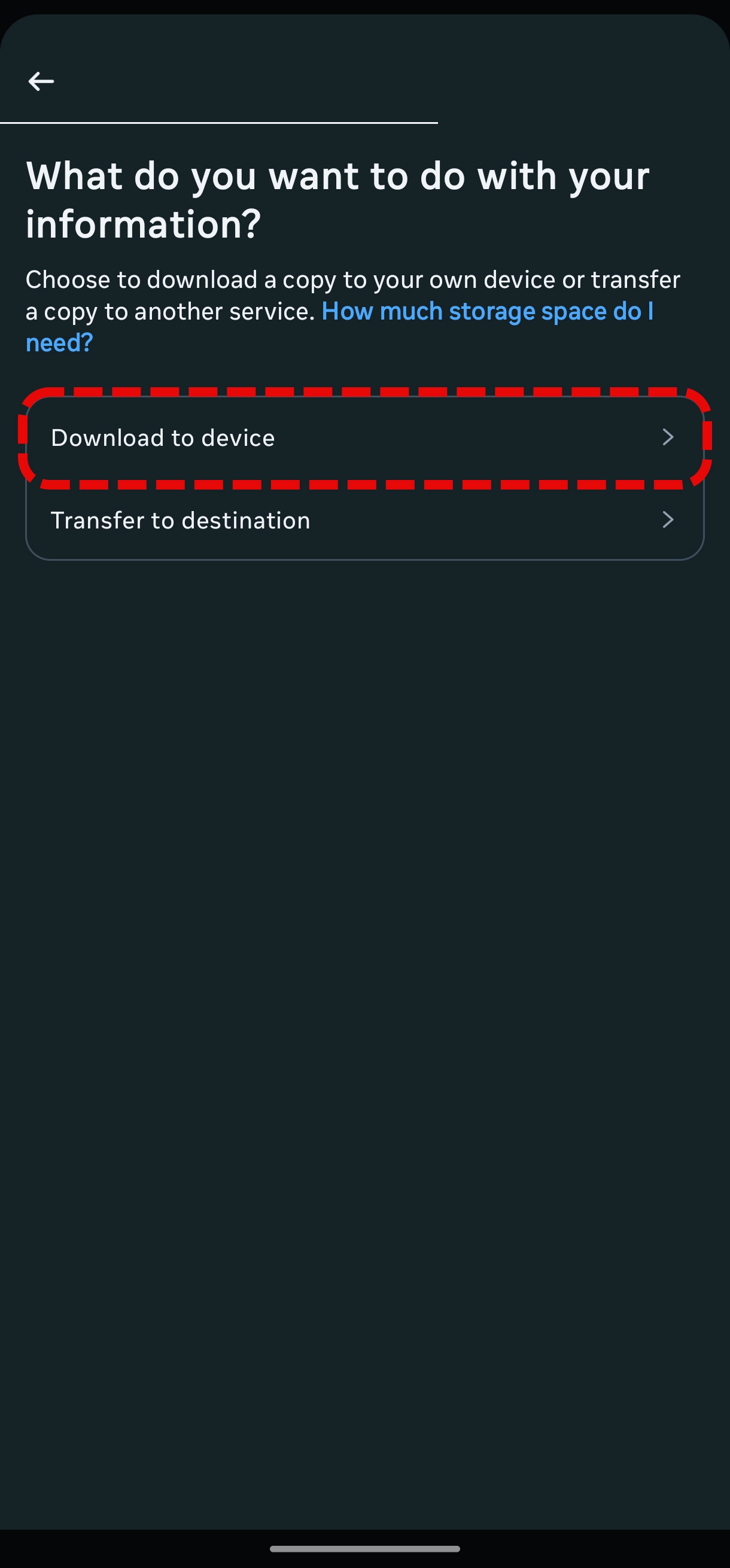
Choose your Instagram account from the list, then select "Some of your information". Scroll down and look for "Connections". Under "Connections" select "Following and followers" and click "Next" button then select "Download to device".
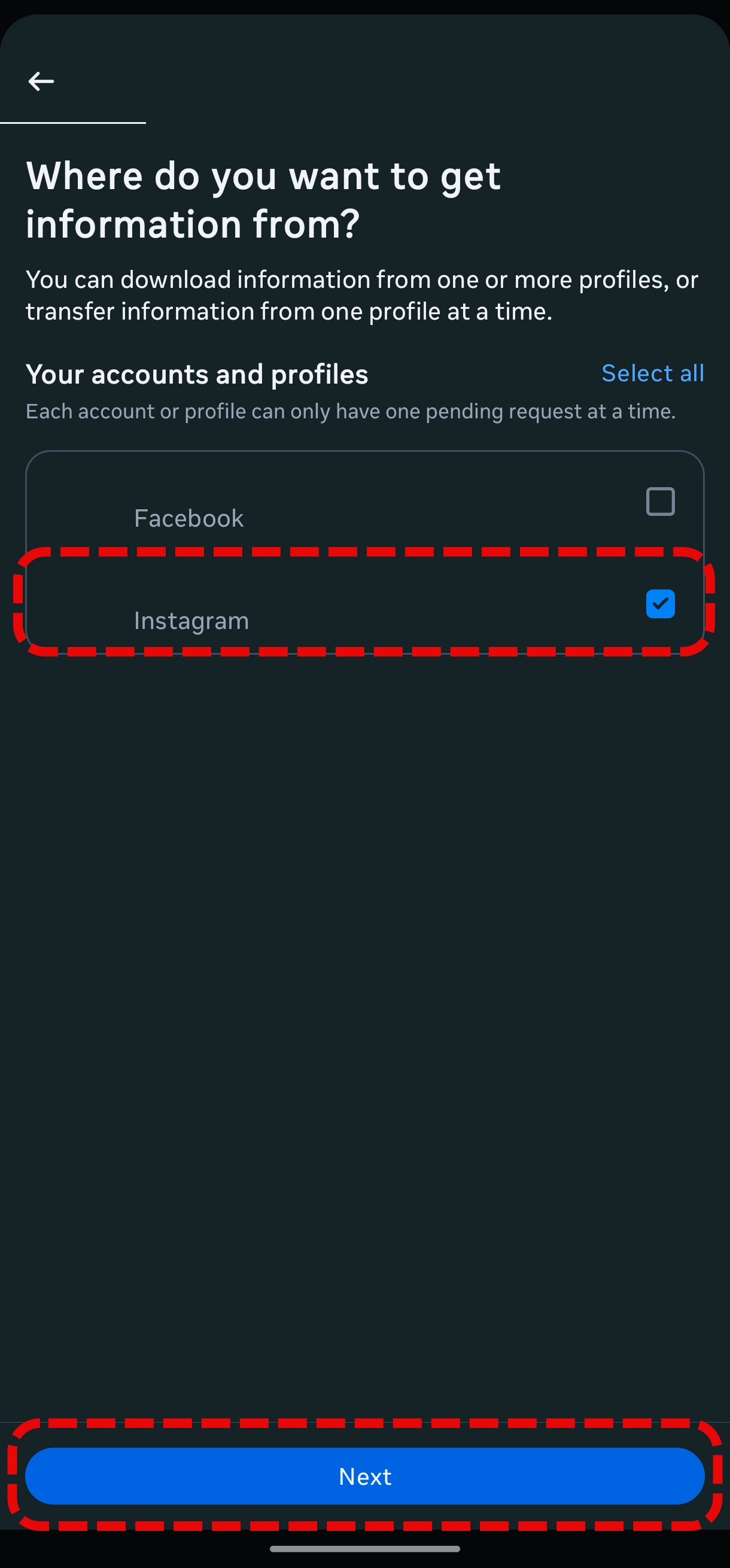
Instagram account information Instagram account some information Instagram account information connections, following and followers Instagram account information download to device
4
Configure Download Settings - Date Range
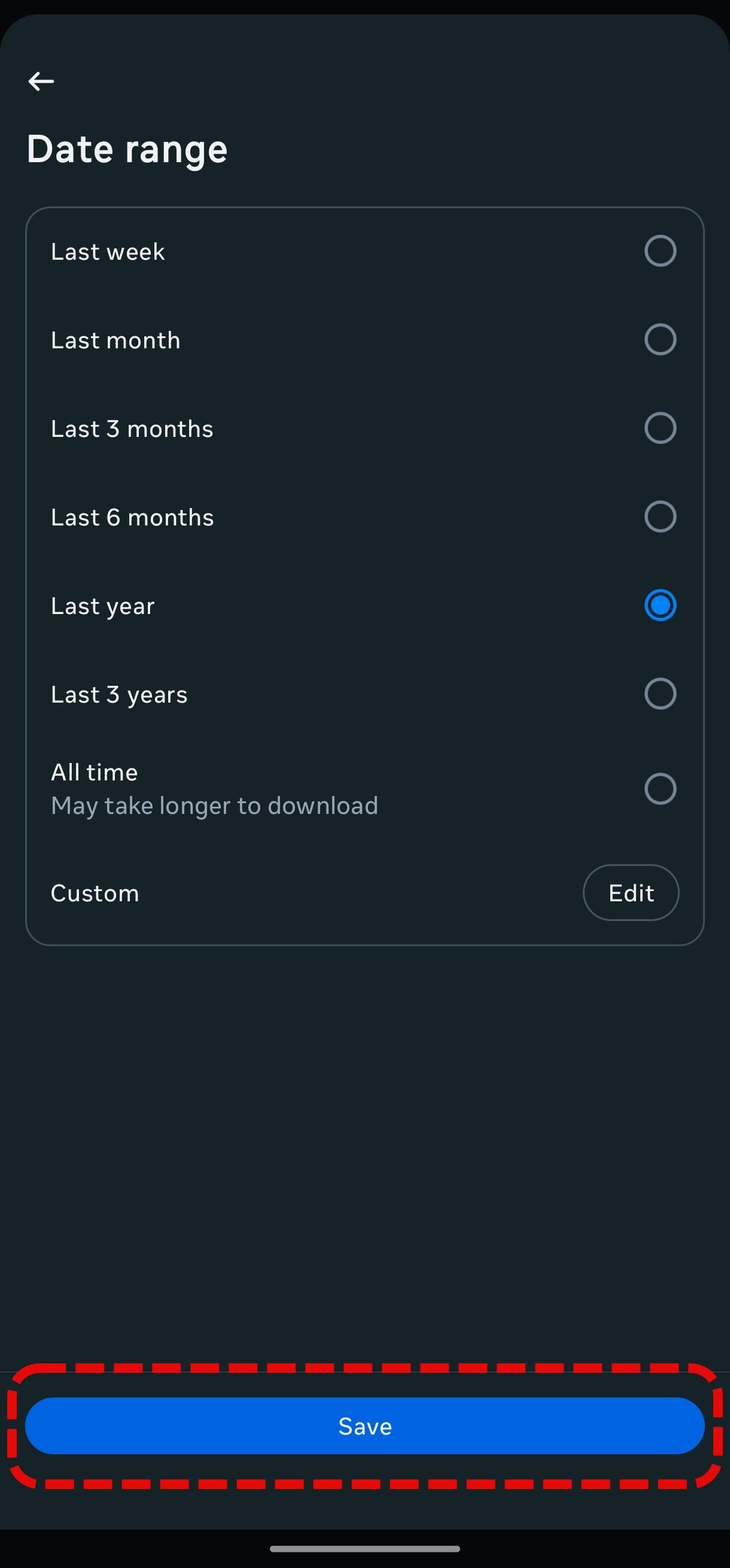
Select "Date range" and choose a specific date range. "Last year" is a good option but you choose other options as well. Then click "Save" button.
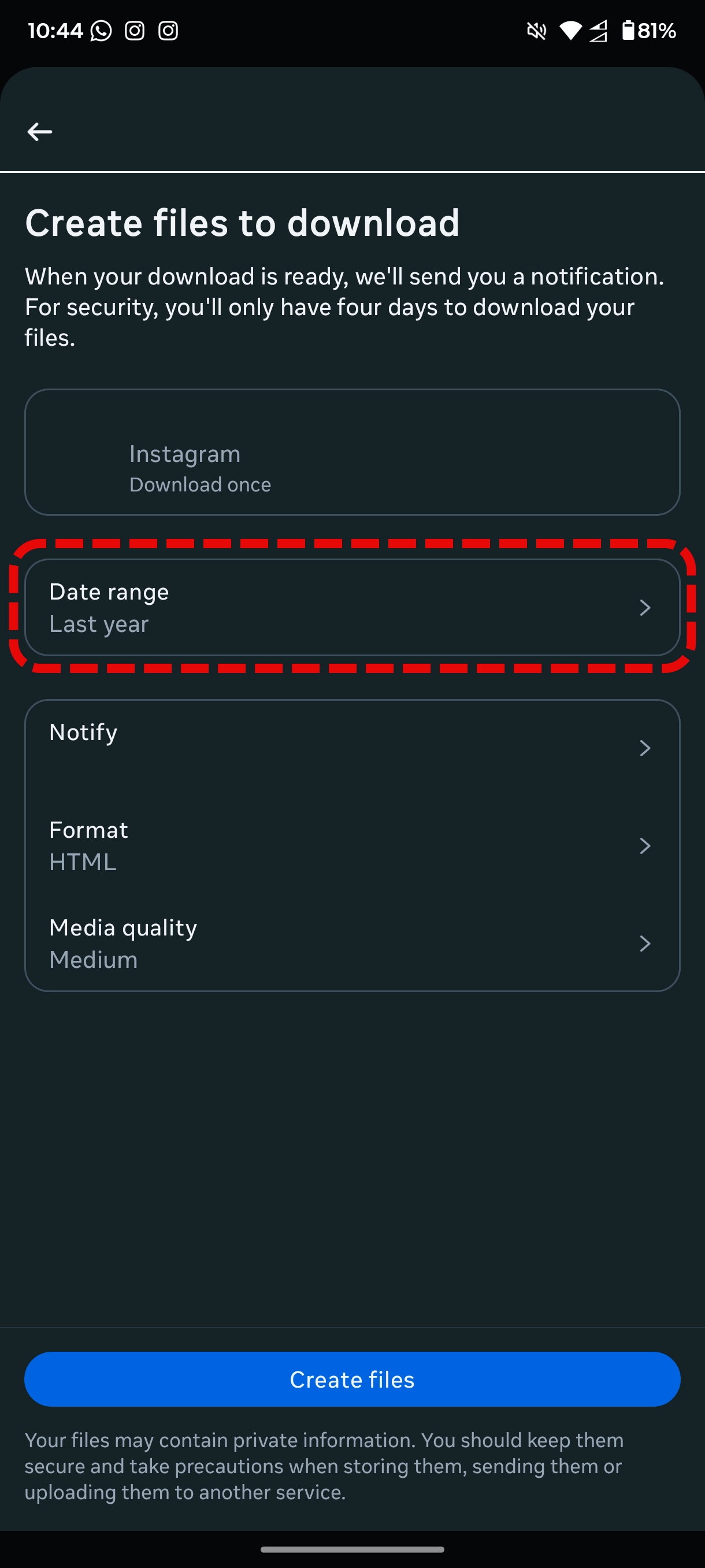
Instagram account information date range Instagram account information choose range
5
Configure Download Settings - Format
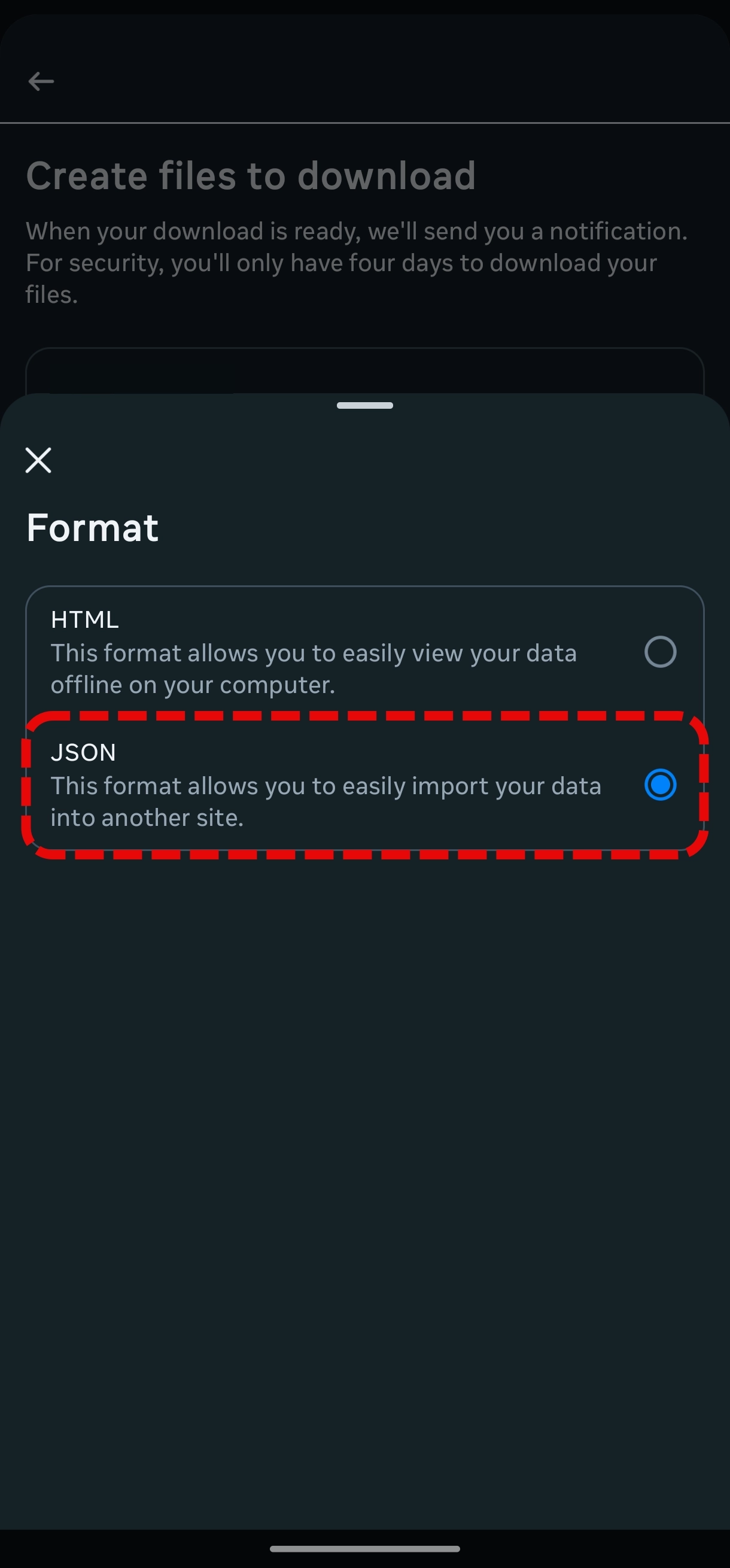
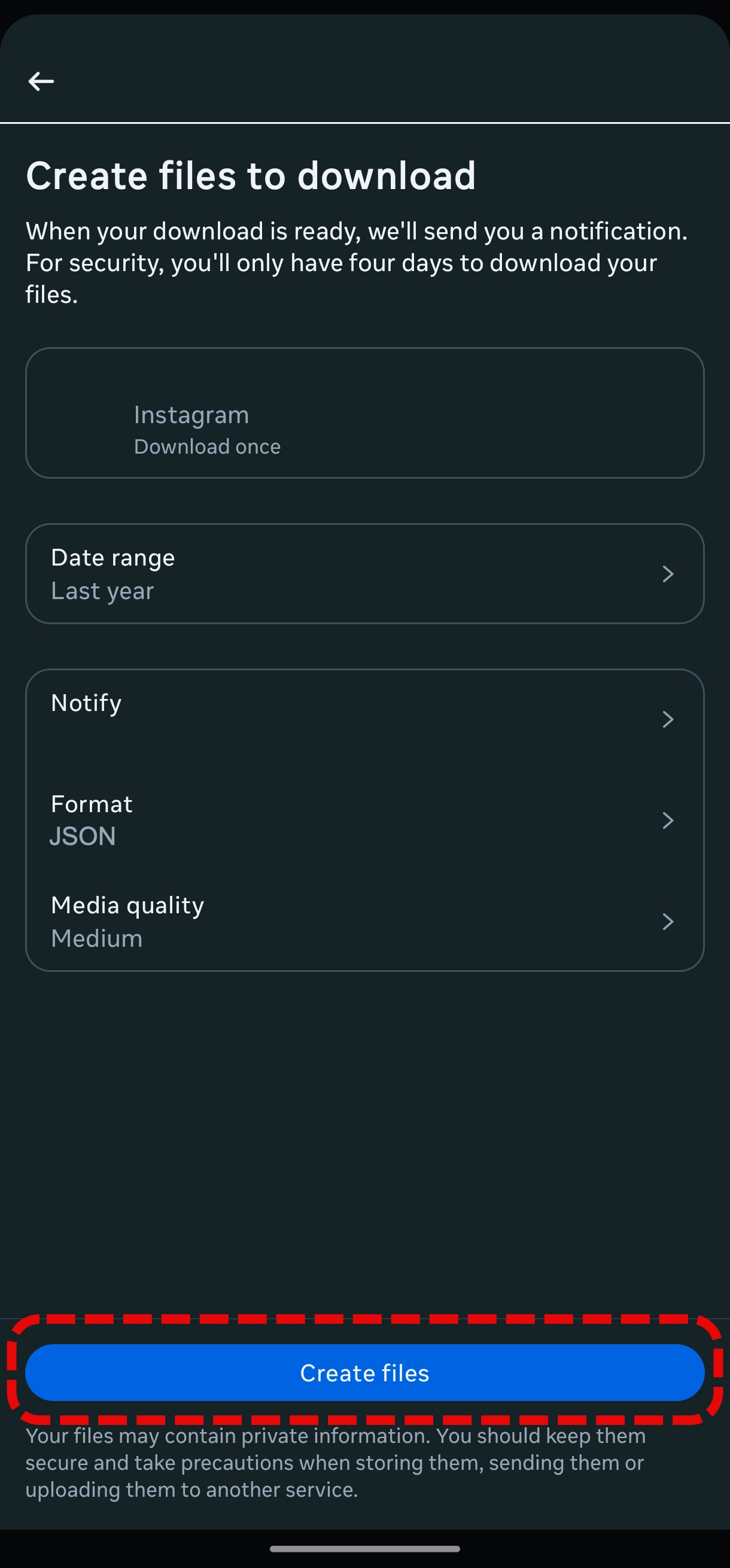
Select "Format" and choose "JSON" as the format. This is important for our tool to process the data correctly. Then select "Create files" button.
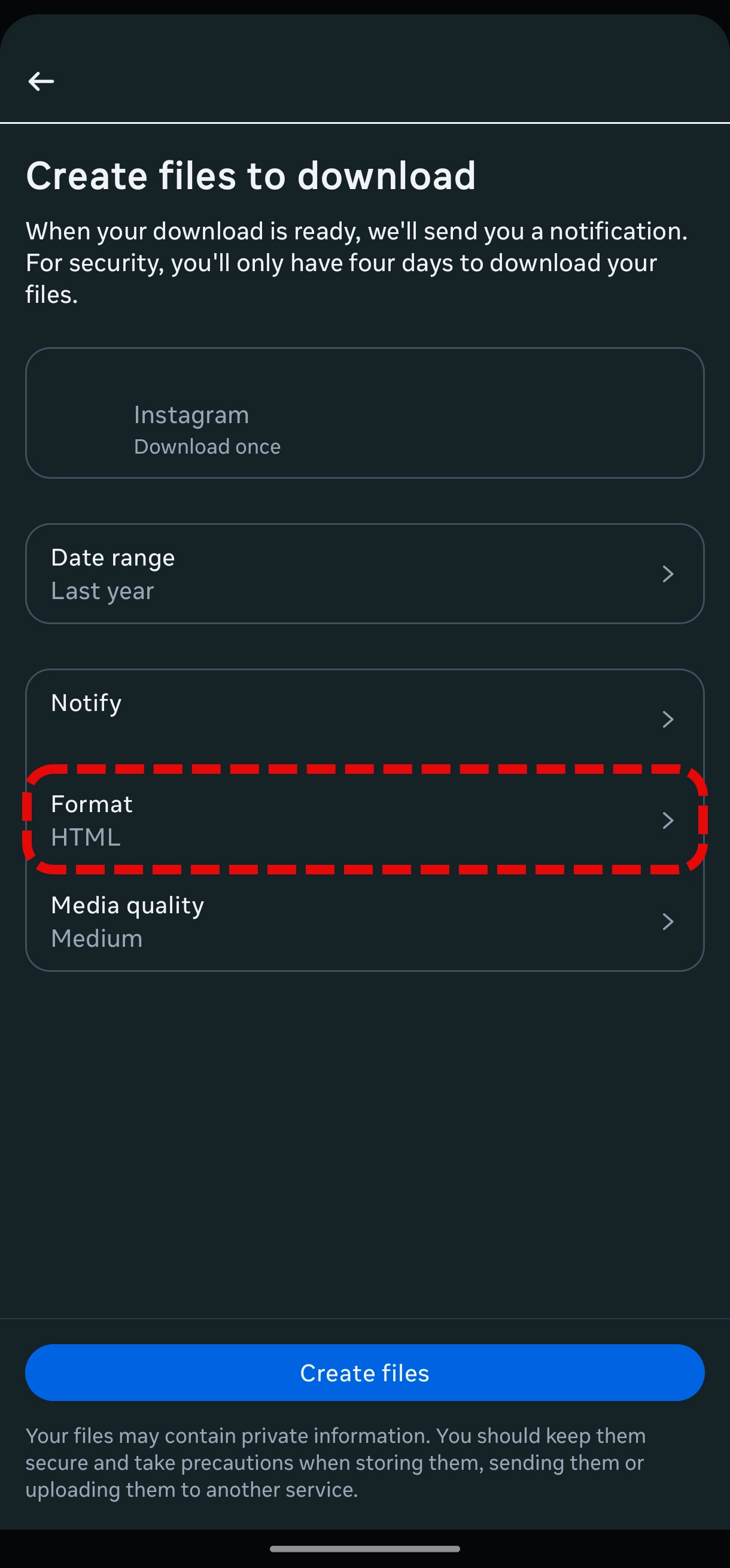
Instagram account information format Instagram account information json format Instagram account information create files Instagram account information wait for file
6
Download the ZIP File
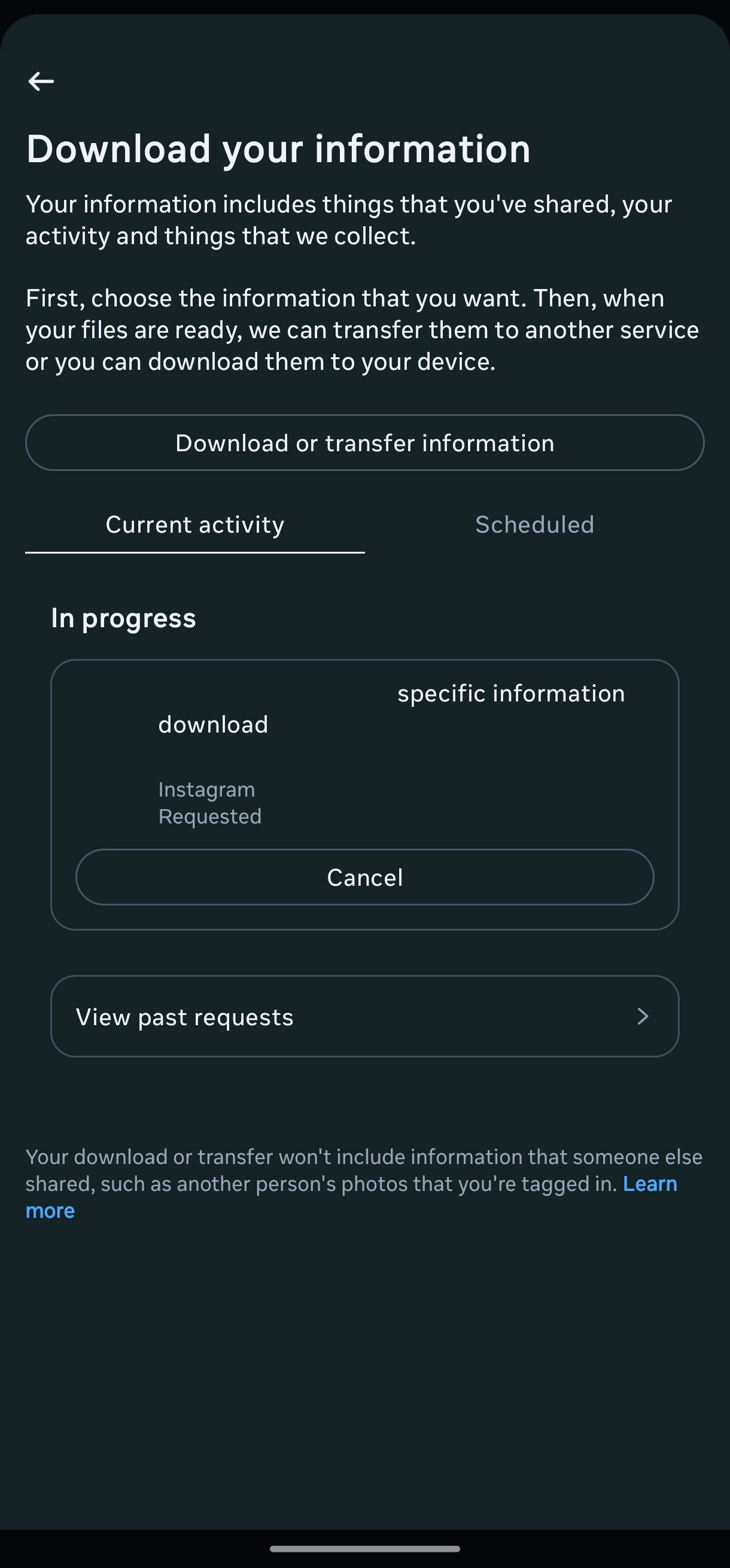
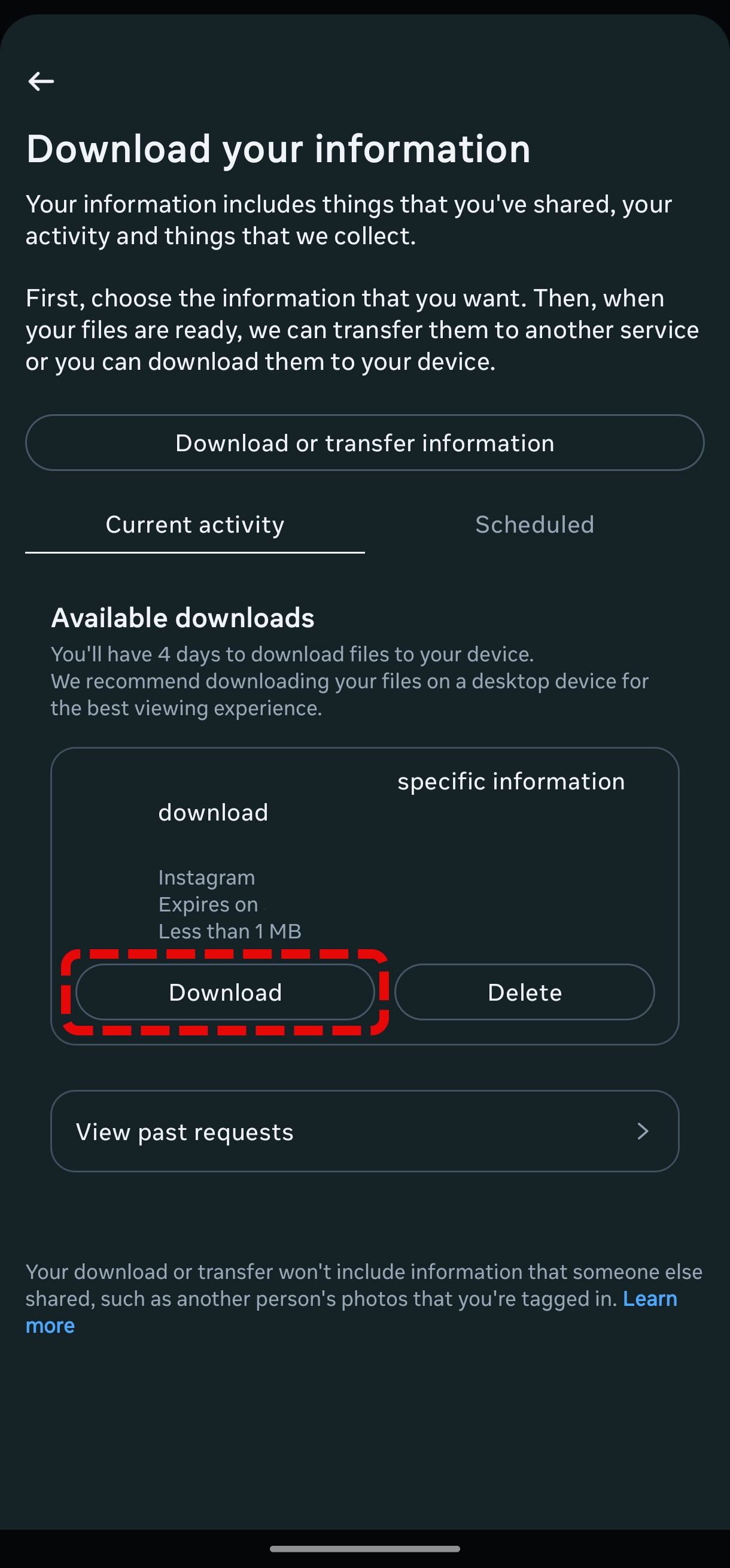
Wait for the email from Instagram (can take few hours) for the notification that your data is ready. Click on the link in the email to download the ZIP file. OR Download the ZIP file directly from the Instagram app.
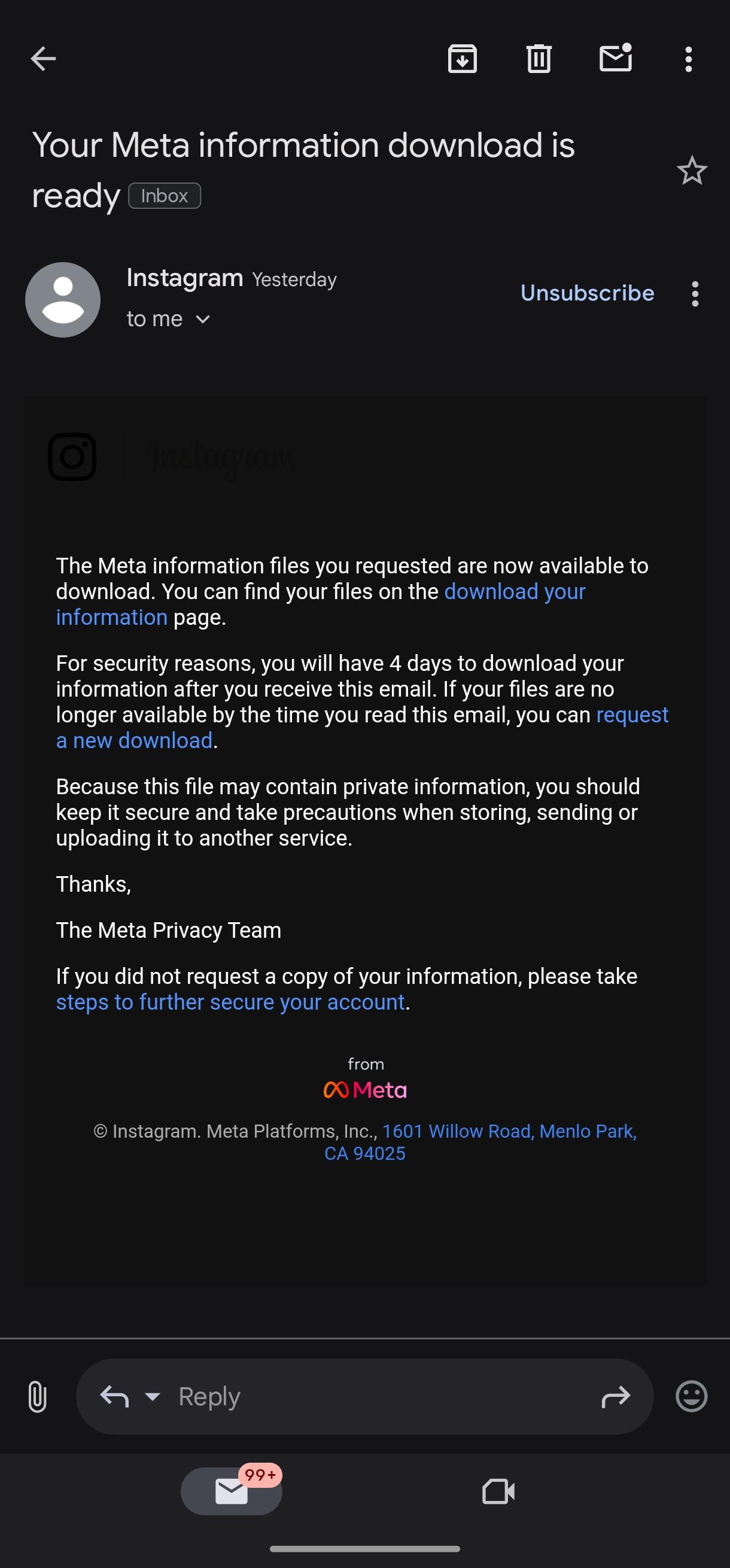
Instagram account information download zip file email Instagram account information download zip file app